this guide has been adapted from this video
voice chords properly
let’s look at a minor 7th chord. to build, simply build a major 7th by picking a base note, it’s 5th, a note following a 3 space gap and a note following a four space gap after that. then, minorize1 it by moving the two top notes down.
to voice it we need to play around with chord voicings, specifically adding extra harmony at the very top. ==extra notes = extra color!==
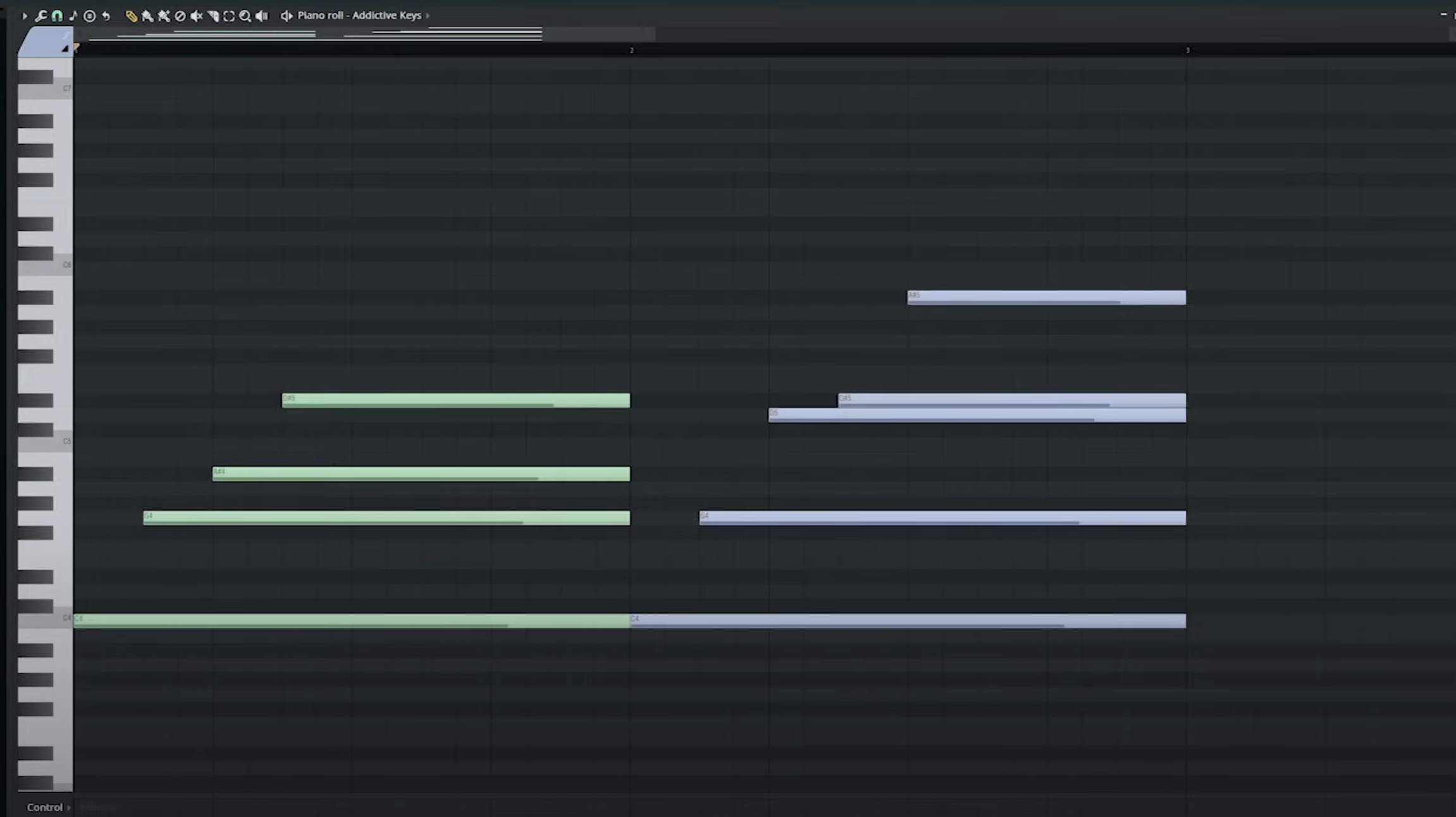
notice how the second chord is more spacious? how it has extra notes, specifically the color comprised of the extra three notes at the top needed for voicing? notice how the third note from the baseline is missing—it’s been moved up an octave?
we can take this further, adding top notes to mirror notes at the bottom…
climbing up and down the piano
azali does this a lot. constantly shifting from dark and light ‘colors’, blending the lighter and darker notes in pleasant manner. what does this mean practically?
returning to our chords from earlier, the movement of the arpeggio going up is called climbing up the scale. just do the opposite! let’s do this:—
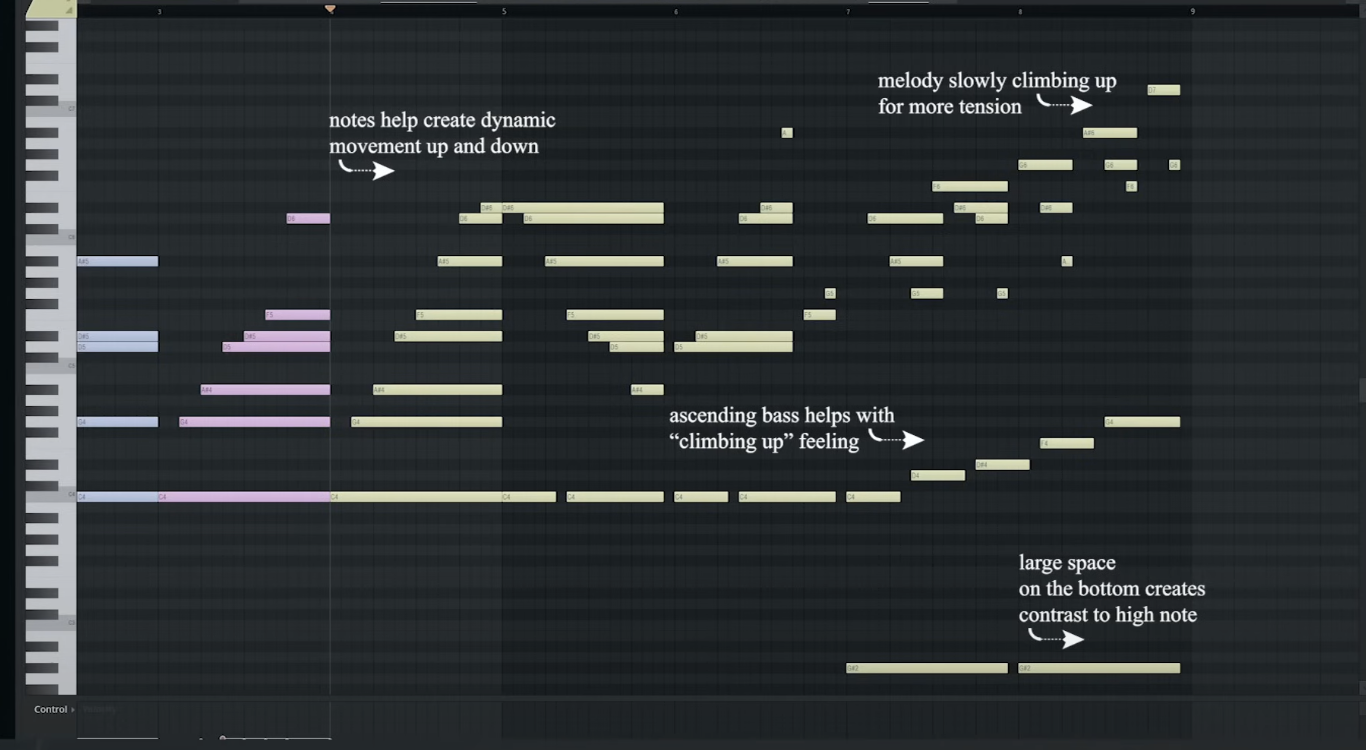
the melody climbs up and then back down only to then climb up again in a different baseline, rather than a C we use A#
juxtaposition
develop ‘plucky’ staccato notes into arpeggiated chords
vsts
Thread of me asking people what VSTs they use:
I’m using Magical 8bit Plug 2. For the piano, I used the Bright Grand from SGM-v2.01, and I gave both of these a bit of bitcrush using the == =.
for the drums i used the tokyo scoring drums library for Kontakt, bass was the chronotrigger soundfont, backing guitar was shreddage hydra for Kontakt, lead guitar was ultimate guitar kit 2, I also used nucleus which is another kontakt library for strings and I used noire for the piano
Footnotes
-
if that’s a word ↩